la version française de ce séminaire et le manuel
Everything you need to know about the WCAG, AODA, ADA, Section 508, EAA, AMA course (Leaving No One Behind Online)
For a fully keyboard-accessible alternative for this video, either view it in Chrome or any Android or iOS device, view in Firefox with the YouTube ALL HTML5 add-on installed, or disable Flash in current Internet Explorer.
Transcript | David Berman on The New Standard on Web Accessibility WCAG 2.0 events
Transcript of the video David Berman on The New Standard on Web Accessibility WCAG 2.0 events.
(The speaker, David Berman is sitting in an armchair by the fireplace. Throughout the entire video, he addresses the camera directly.)
I’m David Berman and I’m often asked why Web accessibility matters so much, and why people should care: why people should bother making sure their web presences are accessible.
The simple answer is legislation tells us we have to. I have the background of knowing how to make websites accessible and i’ve put together this one-day course which takes you through why it matters, what the major issues are,and how to make your web presence accessible. It’s really important for us that when people come out of this course that they have usable knowledge.
And so we focus on WCAG 2.0 Level AA. Why? Because that’s the standard that the United States has in Section 508. That’s the standard that the Canadian government has chosen, and the new Web standards and provinces and states like Ontario’s AODA call for that level AA compliance. If you learn this, you’ll learn the standard that everyone in the world is heading towards.
The most important point I want to share is that accessibility matters to everyone.
When we know how to make a site accessible for the extremes, and we do it well, we do it in a way that the site becomes more usable for everyone.
A more usable site is going to make it more likely that your audience is going to connect with your message. If you can get your audience to support themselves by going to the site, you can drive down your support costs, as well as having more satisfied customers.
Why wouldn’t you want that? [chuckles] I find this course is fascinating and educational for both people in management, as well as IT professionals.
I find when people come out of this course they’re excited, they’re motivated, they’re entertained.
Most importantly, they’re educated … and the information sticks. Over the past ten years, I’ve had the opportunity to work with hundreds of organizations on four continents: professionals who see the value to their business, to their communities,to their bottom line, in making their web sites more accessible.
If you’re a manager, if you’re an IT professional, if you’re a programmer, if you’re a designer, join us: for web accessibility matters.
(Text on screen:
Web Accessibility Matters.
(David Berman Communications wordmark)
Now covering WCAG 2.0, 2.1, and 2.2!
Register For November 14, 2024 half-day – Online
“What I found about David is that he provided vindication for some of the problems I was facing. I sense that he’s been there, done that. So he’s saving me time and giving me confidence to put forward the right solutions.”
– Richard Fouchaux, Ontario Human Rights Tribunal
“One of the most inspiring speakers I have ever met. I enjoyed learning from him the entire morning and wish it would have been longer!”
– Cherrie Werestiuk-Evans, Government of Manitoba
“I really liked Mr. Berman’s approach. It was engaging and interesting, but also kept things moving. I was also *so impressed* by all of the time he took to customize the presentation to our current website and resources! Not only did it feel like he could speak to our experience directly, but having examples based on things we use every day was really helpful to the way I learn, and I suspect many of my colleagues felt the same.”
– Pamela Faust, Kenyon College
“David used real-life examples, got people up and interacting. It was an amazing experience”
– Andrew Davies, Shaw Media
“He’s so enthusiastic it’s contagious.”
– Collette Boisvert, Conference Board of Canada
“Best webinar/training session I have participated in. David was fantastic, easy-going, passionate, friendly, and an expert.”
– Mary Foley, US Department of Agriculture
Course Description
It used to be that the only way to comply with accessibility standards for persons with disabilities or difficulties was to publish content in HTML. One of the most exciting parts of the new Standard On Web Accessibility and WCAG is that it has become feasible for you to choose PDF as the only container for certain content on your Web site … but only if you know how. We’ve worked with industry leaders such as Adobe to put together this comprehensive and powerful course, where attendees walk away with immediately-applicable tips and techniques to make all their pages and sites more accessible.
De-mystify how to make online or offline Web and PDF accessible whether your source is Word, Excel, PowerPoint, InDesign… or existing PDF. Now covering WCAG 2.0 and 2.1!
Most adults suffer from some level of disability or difficulty that can be mitigated through accessible technologies. And when we design for the extremes, everyone benefits.
Not only will you comply with the standards (AODA, WCAG, Standard On Web Accessibility, Section 508, PDF/UA…): you’ll be broadening the audience for your content while enriching the experience of existing users, reduce your publishing costs, and also improve your search results.
Meet the new accessibility laws faster, and with no programming knowledge required. Broaden audiences, improve Google reach, while making sites accessible to all. Spend time with David Berman or his colleagues, rated #1 on this topic in North America, and learn how to comply with new laws and WCAG guidelines on access for disabilities.
Whether you are new to accessibility and WCAG, or already familiar with WCAG, you’ll learn immediately-applicable tips and techniques in this powerful accessibility course.
This course incorporates adult learning principles and activities appropriate to a variety of learning styles and qualifies for CEUs (certified by organizations such as PPAC).
Our course and manual contain everything you need to know in order to pass the CPACC certification examination.
“Inspiring, engaging … techniques I can use.”
– Liv Stenersen, Government Administration Services, Oslo (Norway)
“Easy to understand … passion for his topic…a great presenter…explained our issues in understandable ways.”
“I thoroughly enjoyed David’s presentation and am thinking of so many uses for what I have learned… this was one of the most interesting and useful hours I’ve spent in 2016.”
– Carol Tobiassen, United Health Group
– Calline Au, Queensway Carleton Hospital, Ottawa
“The whole thing was incredible … amazing! We are better off knowing now what we didn’t know we didn’t know!”
– Tracy Noonan, Smiling Cat Design, Perth
“Helped me actually understand what we as an organization must do to mitigate.”
– Taylor Linseman, CHEO, Ottawa
“Great mix of humor and knowledge”
– Joy Moskovic, Treasury Board of Canada Secretariat, Ottawa
We will equip you with arguments why accessibility is important for everybody, then provide in-depth familiarity with federal and international guidelines that will help your Web and PDF content be a more effective resource for your entire audience. You’ll also get familiar with assistive technologies that help people with specific disabilities and difficulties.
Canada’s federal government led the world when it first introduced its accessibility-centric CLF policy, now replaced with its Standard On Web Accessibility and Standard on Web Usability. Our full-day course includes a thorough review of every pertinent standard that applies to accessible Web and PDF, including other policies that call for WCAG 2.0 Level AA compliance (such as U.S. Section 508, ADA, and Ontario’s AODA). These new standards allow PDF to be your primary format, but only if your PDF is truly accessible. We’ll cover everything from tables to charts to fillable forms to free testing tools you can start using immediately.
Finally, you’ll venture into where accessibility meets usability. Not only will you leave with ideas you can use right away, you may also gain a whole new attitude towards how technology can improve lives. By the end of the event, you will not only be aware of why accessibility and standards affect everyone: you’ll be equipped with a thorough understanding of the best strategies to approach what needs to be done and how, in order to drive down costs, increase reach, and improve SEO.
“Excellent… knowledge I can use.”
– Sandra Clark, Ministry of Trade and Industry, Oslo (Norway)
“Focused and easy to follow.”
-Jason Hollett, gordongroup
“Great. He kept me listening and understanding.”
– Matthew Brunetti, Lixar IT
Each course participant leaves with a comprehensive 160+ page learning guide, detailing every relevant accessibility success criterion.
“Excellent.”
– Sylvie Nyman, Indian and Northern, Affairs Canada
“Very knowledgeable and charismatic. Made the talk about a somewhat dry subject very interesting, and he never faltered on a question.”
– Bjorn Ramroop, Loblaw Digital
“Great, easy to understand, not overwhelming.”
– Steve Wong, Olson
“The talk was very useful because technical details were not glossed over, and specific examples were used to demonstrate possible solutions.”
– Bjorn Ramroop, Loblaw Digital
Impressions on David Berman e-Accessibility course at OCAD, 29 June 2015
Shaw Media talks about David Berman Communications onsite accessibility course
Testimonial by Nagina Tahir on Internet Society David Berman accessibility course Islamabad Pakistan
Transcript | Testimonial by Nagina Tahir on Internet Society David Berman accessibility course Islamabad Pakistan
This is a transcript of the video Testimonial by Nagina Tahir on Internet Society David Berman accessibility course Islamabad Pakistan.
Hi, my name is Nagina. Today we are here to welcome our worthy guest from Canada Mr. David Berman. This 3 day training is based on the discussions of issues and problems faced by the people with disabilities in day to day activities and how they can overcome it and can be a part of society. Wish you all the best.
What’s Wrong
Computer-mediated accessibility to information represents the greatest liberation in human history. Most people in our societies live with some amount of physical or mental difficulty, and that can stand in the way of clear communication if proper design steps are not taken.
Although most professional development teams now create their products with the latest responsive and platform issues in mind, they still experience difficulty meeting or exceeding meeting accessibility standards. And when they do, they often spend more time and effort than they need to reaching and maintaining their products to those standards. By not understanding why each standard or technique exists, they risk doing unnecessary work, making the site less attractive or useful to the mainstream audience … and with perhaps mediocre results for people living with disabilities.
“Very good speaker – good sense of humour.”
– Johan Fong, House of Commons
“Entertaining.”
– Sjur Kristiansen, Telenor Telecommunications Group
“Eye-opening. Love your method of teaching.”
– Jean Descrochers, National Research Council
“I enjoyed it all.”
– Robert Hallat, Public Service Commission
“Right on target.”
– Marius Monsen, Reaktor ID
“He knows what to do! This will guide us for the AA Standards”
– Bassil Wehbe, Agriculture Canada
What Makes This Course Unique
Our course developer, David Berman, is a consultant on strategy for large Web sites, and has worked on Web accessibility projects for many organizations including Statistics Canada, the National Research Council, BMO, and IBM. He has been the project manager of numerous accessible Web projects, has developed strategy and design for CFIA, CRA, CMHC, Health Canada, Canadian Heritage, Industry Canada, Veterans Affairs, and the International Space Station … as well as many private sector and non-profit organizations.
By addressing and understanding accessibility issues, Web developers can more effectively deliver their message to their whole audience, while complying with the legal and moral responsibilities, regardless of physical or mental impediment.
What You Will Learn
You will learn how to make your current sites more accessible by complying with current standards and guidelines. Specifically, you will learn:
- Why should we care?
- What are the challenges people face?
- What assistive technologies close the gaps?
- Why accessibility matters to everyone, not just those with disabilities
- The major disabilities and challenges: what they are and how most of us have some level of difficulty that can be assisted by accessible design
- Assistive technologies we can typically use to mitigate these issues
- Examples of accessible multimedia
- How accessibility will help your bottom-line
- Laws and regulations
- ADA: Americans with Disabilities Act
- Revised Section 508
- EU Mandate 376 | EN 301 549
- Accessible Canada Act
- AODA: Accessibility for Ontarians with Disabilities Act
- Standard on Web Accessibility
- Legislations from other countries and jurisdictions
- What are the technical standards? Demystifying the acronyms…
- WCAG 2.0 and 2.1: the Web Content Accessibility Guidelines
- What’s new in WCAG 2.1?
- What you need to know about the WCAG 2.0 and 2.1 success criteria
- PDF/UA: the accessibility standard for PDF
- How do professionals in your industry comply with every success criteria, without tradeoffs?
- Quality assurance and testing
- What are the best testing tools to confirm you’re meeting the standards?
- Exceeding the standards: functional accessibility
- Level AAA, email, social media, etc.
- Q&A (until you run out of questions!)
“Very good: made me think…”
– Bente Mollevik, Norwegian Savings Bank Association
“Great: very comprehensive. Touching on all aspects of accessibility.”
– Marc Iafelice, CFIA
“David really knows his topics. Very well done: got the point across in a way that can be apply to everyone.”
– Sean Strasbourg, CFIA
“Excellent facilitator… great presentation”
– Patricia Slatlen, Shaw Media
“Excellent speaker who gave meaningful examples”
– Course Participant, Loblaw Digital
Goals
At the end of this event, you will:
- know many techniques you can apply right away to make content more accessible
- have a comprehensive understanding of W3C WCAG, PDF/UA, AODA, ADA, and other current government accessibility guidelines and how to meet them
- be able to make informed decisions as to what degree to comply with accessibility standards
- be aware of techniques that can vastly reduce the cost of publishing online
- understand better the experience of those with disabilities using the Web, multimedia, and apps
- know you’re doing the “right thing” by ensuring accessibility for all
“Excellent.”
– Steinar Sandum, Adax, Svelvik (Norway)
“Interesting content, really well delivered. Visual and engaging. Gives us a common language and approach.”
– Chris Cook, CFIA
“Although I am from a program with no technical background, this seminar will change the way we prepare/write/present documents, policies, directives, forms, etc for posting on the Web.”
– Sharon Drolet, Canadian Food Inspection Agency
Typical Agenda for Full Day Course
- Why should we care?
- What are the challenges people face?
- What assistive technologies close the gaps?
- What are the standards? Demystifying the acronyms…
- ADA: Americans with Disabilities Act
- Section 508
- AODA: Accessibility for Ontarians with Disabilities Act (the World’s strongest and where USA is going)
- Standard on Web Accessibility
- PDF/UA: the accessibility standard for PDF
- WCAG: the Web Content Accessibility Guidelines
- What do you need to know about the WCAG success criteria?
- How do professionals in your industry comply with every success criteria, without tradeoffs?
- What are the testing tools to confirm you’re meeting or exceeding the standards?
- What else should you consider? Level AAA, email, social media, etc.
- Q&A until we run out of questions!
What You Get
When David Berman Communications hosts this course*, regular ticket holders receive:
- a complimentary, comprehensive 160+ page learning guide, detailing every major accessibility guideline (also available separately for $97 with optional 1-on-1 distance coaching)
- meals, snacks and beverages
- a signed course certificate, suitable for framing
- a thirty-minute one-on-one personal coaching tele-session with David within a month
- the option to attend this course again in the future, as a refresher, at no additional cost
- the option to attend the first half on one date and the second half at a future date
- a money-back guarantee: if, after coaching and refresher, you don’t think you’ve got your money’s worth, we’ll refund your entire registration fee
(*If you are attending one of our courses hosted by another organization, confirm which of these items apply.)
Register or call 1-613-728-6777… or bring this event to your site: for a keynote, half-day, or full-day event, customized for your group.
Choose your date and register now
Prerequisites: None (no programming experience required)
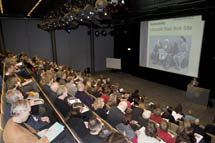
Berman leading a workshop on accessibility in Oslo, Norway
“Clear and entertaining: will allow more strategic planning rather than just reactionary stumbling.”
– Steve Doody, Justice Canada
“This will make us better communicators.”
– Luc Bergeron, SSHRC
“Perfect.”
– Jean Leclair, Environment Canada
“Loved the examples. David is very engaging and knowledgeable facilitator. His passion is obvious. Will help me better evangelize.”
– Patrick Dunphy, CBC
“Excellent: very engaging speaker.”
– Jean-Marc Mondoux, Elections Canada
About our Expert Speakers
David Berman, the developer and trainer for all our course material and course leaders, is the principal of David Berman Communications.
David Berman has over 30 years of experience in design and communications and has worked extensively in e-accessibility and inclusive interface design. As an author (Do Good Design), expert speaker, designer, communications strategist, his professional work has brought him to over 50 countries.
In 2017, David was named to the AODA Standards Committee by the Government of Ontario, to help improve Ontario’s world-beating accessibility legislation.
David is an Invited Expert to the W3C, the publishers of the WCAG standard for e-accessibility. In 2015, he was made an International Advisor by the G3ICT, fitting with his work helping advise governments on four continents on establishing inclusive design policy. In 2015, he was named International Universal Design Champion for the Government of Ireland. In 2012, David was appointed chair of the Carleton Access Network at Carleton University. In 2009, David was appointed a high-level advisor to the United Nations on how accessible Web design thinking can help fulfill the Millennium Development Goals.
His clients include BMO, IBM, Honda, the International Space Station, the Canadian Human Rights Commission, the World Bank, Sierra Club and the Aga Khan Foundation. David’s work includes award-winning projects in the application of plain language, typeface design, and the development of a system to republish the laws of Canada in plain writing and design.
In 2013, The World Wide Web Foundation had David personally audit the accessibility of benchmark Web sites from over 40 countries for their global report on the state of the Web.
He is a member of the ISO standards committee on accessible PDF documents.
His book (Do Good Design, Pearson/Peachpit, 2009) about how design can be used to create a more just world speaks about universal design and accessibility, and is now available in 6 languages, as well as braille.
He regularly teaches accessibility principles as part of his professional development workshops, and developed custom workshops for the National Research Council and Ontario’s largest school board.
David’s opinions have been featured in the Financial Post, the Globe And Mail, the Ottawa Citizen, the Montreal Gazette, Marketing, Applied Arts, HOW, and Communication Arts magazines, as well as ABC and CBS.
David ranks #1 on speakerwiki.org on this topic for a reason. His arc as an internationally-celebrated expert speaker has brought him to over 30 countries. He is a National Professional Member of the Canadian Association of Professional Speakers (CAPS) and the Global Speakers Federation (GSF).
David is currently Ethics Chair of the Society of Graphic Designers of Canada, was named a Fellow (the highest professional honour for graphic designers in Canada) in 1999, and has served as a director and sustainability chair of ico-D, the world body for graphic and communications design.
Guest Presenters
We include guest subject matter experts within a full-day course. For example, he has been joined by:
- Jeff Braybrook (CEO, Blueprint), former Deputy Chief Technology Officer for the Government of Canada
Who Should Attend
This course is targeted to all writers, editors, designers, programmers, developers involved in developing Web sites, documents, or new media projects.
- communications professionals
- writers
- editors
- content owners
- word processors
- graphic designers
- instructional designers
- software developers, mobile app and game developers
- quality controllers
- people who need to get their Web site compliant with current and future government accessibility standards (e.g. W3C WCAG, ADA, Section 508, AODA)
- people who coordinate people who build Web sites
This course delivers knowledge required for EN 301 549, WCAG 2.0 and WCAG 2.1 Level A and Level AA awareness training as documented in the Government of Canada’s Accessibility Responsibility Breakdown as well as current Treasury Board policy and evolving Accessible Standards Canada standards. This course incorporates adult learning principles and activities appropriate to a variety of learning styles, and qualifies for CEUs.
Language:
English or French available on-site.
Duration:
One-day course, half-day course, or keynote presentation (we also provide this course customized on-site for your organization).
To be notified via e-mail of when we schedule new instances of this topic, subscribe to our E-Newsletter.
Comparison to Similar Courses from Other Providers
| Course | David Berman Communications | Canadian School of Public Service (CSPS) |
|---|---|---|
| Course Name | The new Standard On Web Accessibility | Web Accessibility Standard for the Government of Canada (T710) |
| Duration | 1 day: 0900-1615 with 1-on-1 follow-up | 3 days: 0830-1630 |
| Price: | $354 to $649 | $900 |
| Location | Multiple locations | Ottawa |
| Track record of course: | Since 2002 | Since 2011 |
| Presenter | David Berman: ranked #1 on this topic in Canada (speakerwiki.org), national member CAPS | ? |
| Open to: | all | public servants only |
“Wonderful handout! The way extra information, like links and explanations, is included works beautifully.”
– Elizabeth Strand, Making Waves, Oslo (Norway)
“Very understandable and fun.”
– Liz Breines, Ministry of Trade and Industry, Oslo (Norway)
“Highly valuable.”
– Maureen Quirouet, Parliament of Canada
“Excellent.”
– Sylvie Nyman, Indian and Northern Affairs Canada
“Excellent storytelling. Thanks!”
– Sarah Rosenbaum, Norwegian Knowledge Centre for Health Services
“Makes you feel you are part of the course.”
– Arup Ghosh, BMO Financial Group (Bank of Montreal)
“Excellent, eye-opening, and not preachy!”
– Carrie Walker-Boyd, Canadian Food Inspection Agency
Reviewed April 3, 2023
Schedule
“Really enjoyed your session.”
– Jim Dixon
“I love David’s approach.”
– Carole Dubuc, Canadian Armed Forces
| ACCESSIBILITY EVENTS | LOCATION | HOST/REGISTRATION | FEE* |
|---|---|---|---|
| Day of your choice: Custom one-on-one or one-to-many | Your place or our online classroom | Let’s collaborate! Call us now | TBA |
| November 16, 2023 | Online | David Berman Communications | Starting from $199 CAD |
| November 17, 2022 | Online | David Berman Communications | Starting from $199 CAD |
| November 18, 2021 | Online | David Berman Communications | Starting from $199 CAD |
| November 12, 2020 | Online | David Berman Communications | Starting from $249 CAD |
| November 26, 2019 | Online | David Berman Communications | Starting from $249 CAD |
| June 13, 2019 | Online | David Berman Communications | Starting from $249 CAD |
| December 5, 2018 | Online | David Berman Communications | Starting from $249 CAD |
| June 13, 2018 | Online | David Berman Communications | Starting from $249 CAD |
| November 15, 2017 | Online | David Berman Communications | Starting from $249 CAD |
| June 14, 2017 | Online | David Berman Communications (sponsored by CPL, RGD, Editors Canada) | TBA |
| May 19, 2017 | Ottawa, ON | David Berman Communications | TBA |
| April 3 – 5, 2017 | Australia | W4A | TBA |
| May 11, 2017 | Online | The Institute for Performance and Learning | TBA |
| February 14, 2017 | Ottawa, ON | BioTalent Canada | TBA |
| November 3 – 5, 2016 | Wellington, New Zealand | Clarity 2016 | |
| Sept 14, 2016 | Online | eXplorance | Free |
| August 17, 2016 | Ottawa, ON | Spruce Creative | TBA |
| June 29, 2016 | Toronto, ON | Attend online or in person at OCAD University IDRC, 49 McCaul, Toronto in The Red Lab, room |
$299-625 |
| June 18, 2016 | Reno, Nevada | TypeWell, in conjunction with the TECHWell 2016 Conference | $299-650 |
| May 20, 2016 | Ottawa, ON | Carleton University | $299-625 |
| Tue May 10, 2016 | National Press Club, Washington, DC | Center for Plain Language | $250 USD |
| Spring 2016, (date tba) | Dublin Ireland | TBA | TBA |
| November 20, 2015 (postponed) |
Vancouver (Downtown) SFU Downtown Campus West Hastings Street |
NL Thompson Associates | $299-597 |
| November 19, 2015 (postponed) |
Victoria (Downtown), Harbour Towers Hotel and Suites 345 Quebec Street |
NL Thompson Associates | $299-597 |
| October 15, 2015 | Ottawa, ON | Art Beyond Sight Conference | |
| October 12, 2015 | Dublin, Ireland | National Disability Authority | private |
| October 2, 2015 (postponed) | TBA | David Berman Communications | $299-597 |
| October 1, 2015 | Ottawa, ON | Webinar: 11½ Free Tools for Testing Website Accessibility | Free & available online |
| August 8 | Toronto | Keynote at Accessibility Innovation Showcase, Parapan Am Games | Free |
| July 9, 2015 (postponed) | Ottawa, ON | TBA | $299-597 |
| June 29, 2015 | Toronto, ON | OCAD University IDRC, 49 McCaul, Toronto in The Red Lab, room number 4904 |
$299-625 |
| June 17, 2015 | Ottawa, ON | Webinar: Demystifying WCAG 2.0 | Free & available online |
| April 25, 2015 (Tentative) | Brussels, Belgium | Inspirit and David Berman | TBA |
| January 15, 2015 | Ottawa, ON | Webinar: Spotlight on Digital Accessibility for Your Marketing Campaign | Free |
| January 14, 2015 | Ottawa, ON | Webinar: Solving Web Accessibility: Leaving No One Behind | Free |
| December 2, 2014 | Toronto, ON | 108 Ideaspace
|
$357-697 |
| November 10, 2014 | Brussels, Belgium | TBA | TBA |
| November 5 or 8, 2014 | Toronto, ON | TBA | TBA |
| October 9, 2014 | Toronto, ON | David Berman Communications | $299-597 |
| Wed July 16, 2014 (postponed) | Ottawa, ON | Carleton University | $299-597 |
| July 12-15, 2014 | Ottawa Convention Centre, Ottawa, ON | International Summit on Accessibility 2014 | TBA |
| May 26, 2014 | Bergen, Norway | Den Norske Dataforenings Servicekontor | NOK 1000£ – 4450£ |
| May 20, 2014 | Queensway Carleton Hospital, Ottawa, Ontario | David Berman Communications | $299-$597 |
| Fri December 13, 2013 | Montreal, QC | eXplorance Inc | by invitation |
| November 2013 (tentative) | Toronto, ON | TBA | TBA |
| Fri November 8, 2013 | City Hall, Toronto, ON | DesignThinkers 2013 | $299-597 |
| Fri November 1, 2013 | Room 2228, River Building, Carleton University, Ottawa, ON |
David Berman Communications | $299-597 |
| Wed August 28, 2013 | Carleton University | David Berman Communications | Free |
| Thu July 25, 2013 | Carleton University | David Berman Communications | Free |
| Fri June 21, 2013 | Room 2228, River Building, Carleton University Ottawa, ON |
David Berman Communications | $299-597 |
| Fri May 31, 2013 | Carleton University | David Berman Communications | Free |
| Mon April 22, 2013 | Cornwall, ON | St. Lawrence College | $390 |
| Monday Apr 8 – 9, 2013 | Toronto, ON | St. Lawrence College | $390 |
| Wed February 27, 2013 | Hamilton, ON | David Berman / T-Base Communications | $549-649 |
| Fri February 22, 2013 | Ottawa, ON | David Berman Communications | $354-649 |
| Mon January 21, 2013 | St Lawrence College, Kingston, ON | St. Lawrence College | $390 |
| Thu January 10, 2013 | London, ON | David Berman / T-Base Communications | $549-649 |
| Thu December 13, 2012 | Ottawa, ON | Transportation Safety Board of Canada | private |
| Thu November 22, 2012 | River Building, Carleton University Ottawa, ON |
David Berman Communications | $354-649 |
| Fri November 16, 2012 (postponed) | Ottawa, ON | David Berman Communications | $549-649 |
| Wed November 14, 2012 | Ottawa, ON | Ministère du Patrimoine canadien | private |
| Thu November 8, 2012 | Markham, ON | David Berman / T-Base Communications | $549-649 |
| Wed November 7, 2012 | Mississauga, ON | David Berman / T-Base Communications | $549-649 |
| Fri October 26, 2012 | Ottawa, ON | OCDSB / T-Base Communications | private |
| Thur October 25, 2012 | Ottawa, ON | OCDSB / T-Base Communications | private |
| Wed October 17, 2012 | Ottawa, ON | OCDSB / T-Base Communications | private |
| Tue October 9, 2012 (all day) (postponed) | San Francisco, CA | David Berman / T-Base Communications | $549-649 |
| Wed September 12, 2012 (all day) (postponed) | Boston, MA | David Berman / T-Base Communications | $549-649 |
| Tue-Wed July 17-18, 2012 | Niagara Falls, ON | Web Accessibility Matters | private |
| Mon May 14, 2012 (morning) | Delta Hotel, Winnipeg, MB | Manitoba Libraries Conference | $65-$130 |
| Wed May 9, 2012 | Strathcona Hotel, Toronto, ON | T-Base Communications | $549-$649 |
| Tue May 8, 2012 (all day) | Strathcona Hotel, Toronto, ON | David Berman / T-Base Communications | $549-649 |
| Thu May 3, 2012 (all day) | Toronto, ON | Accessible Media Inc. | private |
| Tue April 23, 2012 (all day) | Hotel Pennsylvania, New York City, NY | David Berman / T-Base Communications | $549-649 |
| Fri March 23, 2012 | Adobe Canada, Ottawa | T-Base Communications | $549-649 |
| Fri March 23, 2012 (Accessible PDF by Design – related all day course) | Adobe Canada, Ottawa | David Berman / T-Base Communications | $549-649 |
| Wed March 21, 2012 (7:00pm speech) | Capital Hill Hotel, Ottawa, ON | Editors Association of Canada, National Capital Chapter | Free: EAC members, $10: non-members |
| Thurs March 9, 2012 | Ottawa, ON | Public Health Agency/T-Base Communications | private event |
| Fri February 10, 2012 (morning) | Ottawa, ON | Canada Revenue Agency | private |
| Thu January 19, 2012 (all day) | Ottawa Convention Centre, Ottawa, ON | David Berman / T-Base Communications | $495-595 |
| Mon-Tue January 9-10, 2012 | Toronto, ON | BMO / T-Base Communications | private |
| Tue November 29, 2011 (all day) | Toronto Convention Centre, Toronto, ON | David Berman / T-Base Communications | SOLD OUT |
| Thu November 23, 2011 | Ottawa, ON | National Research Council | private |
| Wed November 3, 2011 | Ottawa, ON | National Research Council | private |
| Wed October 5, 2011 | Lord Elgin Hotel, Ottawa, ON | David Berman / T-Base Communications | $319-595 |
| Fri September 9, 2011 | Indigo Hotel, Ottawa, ON | Correctional Service Canada | private |
| Thu August 18, 2011 | Adobe headquarters, Ottawa, ON | David Berman Communications /RGD Ontario | $249-495 |
| Fri June 17 2011 | Adobe headquarters, Ottawa, ON | David Berman Communications /RGD Ontario | $249-495 |
| Thu April 7, 2011 | Ottawa Public Library, Ottawa, ON | RGD Ontario | $395-495 |
| Tue March 29, 2011 | Ottawa, ON | CFIA HR | by invitation |
| Thu February 17, 2011 | Ottawa, ON | CFIA Public Affairs | by invitation |
| Wed April 14, 2010 | Ottawa, ON | David Berman Communications | $495 |
| March 2010 | Montreal, PQ | eXplorance Inc. | by invitation |
| Wed October 28, 2009 | Beijing, China | Icograda World Congress 2009 | see host site |
| Thu April 30, 2009 | San Francisco, CA | Voices That Matter Web Design Conference | speaker breakfast |
| Thu April 2, 2009 | Delhi, India | World Summit Award Grand Jury | by invitation |
| Thu November 13, 2008 | Ottawa, ON | David Berman Communications | $495 |
| Mon July 6, 2008 | Daegu Exhibition Conference Centre, Daegu, Korea | Icograda Design Week in Daegu 2008 | see host site |
| Tue April 29, 2008 | Ottawa, ON | David Berman Communications | $495 |
| Thu March 13, 2008 | Tunney’s Pasture, Ottawa, ON | Statistics Canada | private event |
| Tue February 19, 2008 | Tunney’s Pasture, Ottawa, ON | Health Canada | private event |
| Wed November 7, 2007 | Minto Business Centre, Ottawa, ON | David Berman Communications | $495 |
| Thu November 9, 2006 | Minto Business Centre, Ottawa, ON | David Berman Communications | $495 |
| Thu February 16, 2006 | Minto Business Centre, Ottawa, ON | David Berman Communications | SOLD OUT |
| Tue December 6, 2005 | Oslo, Norway | Norwegian Design Council | SOLD OUT |
| Thu October 20, 2005 | Minto Business Centre, Ottawa, ON | David Berman Communications | SOLD OUT |
| Thu June 9, 2005 | Minto Business Centre, Ottawa, ON | David Berman Communications | $495 |
| Tue December 22, 2004 | Tunney’s Pasture, Ottawa, ON | Health Canada | private event |
*Discount packages for non-profits, and travel subsidies available. Additional discounts available for groups over 3 people. Call (613) 728-6777 for details.
All prices, offerings, and dates subject to change without notice.
To register for a course given by our own organization, register online or call (613) 728-6777.
Resources
RESOURCES FOR ATTENDEES
For the convenience of course attendees, we provide this list of hypertext links and books cited in this course’s learning guide roughly in the order they appear in the course and learning guide:
Legislation, lawsuits, and standards
Canada
- Government of Canada’s new Standard on Web Accessibility
- Standard on Web Usability
- Standard on Web Interoperability
- Standard on Optimizing Websites and Applications for Mobile Devices
- Ontario’s AODA Integrated Accessibility Standards (Ontario Regulation 191/11, April 2011)Ontario’s AODA Accessibility Standards for Customer Service (Ontario Regulation 429/07) Compliance Manual
- AODA rules for business and non-profits
- The Accessibility for Manitoba Act
- Manitoba’s Bill 26
- Introduction to Ontario’s Integrated Accessibility Standards Regulation
- Accessibility for Ontarians with Disabilities Act, 2005: AODA Integrated Accessibility Standards (Ontario Regulation 191/11, April 2011)
USA
- ADA Accessibility Checklist For Existing Facilities (with New York State building code references)
- The Americans with Disabilities Act Checklist for Readily Achievable Barrier Removal
- “Section 508” of USA’s federal Rehabilitation Act Amendments (1998)
- “Section 508” full standards
- Section 508
- Sample VPAT 1.6 filled
- Illinois IITAA – WCAG 2.0 Mapping
- New York State Web policy points to Section 508
- Web accessibility laws by states of the USA
- Title VI of the Civil Rights Act of 1964
- Individuals with Disabilities Act
- Individuals with Disabilities Education Act
- ADA and schools
- DOT’s Air Carrier Access Act (ACAA)
- HHS Section 508 Accessibility Checklists
- Section 504: The Law & Its Impact on Postsecondary Education
Other countries
- Argentina’s accessibility legislation
- Australian government web accessibility standards and guidelines
- Italy: The Stanca Act is the Italian law for government accessibility, from 2004, and is a mashup of WCAG 1.0 Level 1 and Section 508
- Netherlands: 2006 decision legislates accessibility for government sites by end of 2010, and Web Guidelines broadly based on WCAG 1.0
- Norway’s Anti-Discrimination and Accessibility Act, Section 14
- eNorway 2009: Norwegian Ministry of Modernization strategy for e-government
- Spain’s response to WAD:
- Other International Government Policies Relating to Web Accessibility (CH, DE, DK, ES, EU, FI, FR, HK, IL, IN, IT, JA, NZ, PT, UK)
- France RGAA 3.0
- EAA European Accessibility Act
Global
- UN Standard Rules on the Equalization of Opportunities for Persons with Disabilities
- United Nations Convention on the Rights of Persons with Disabilities
- More examples of accessibility legal negotiations and settlements
Accessibility guidelines
- Web Content Accessibility Guidelines 1.0
- Techniques for Web Content Accessibility Guidelines 1.0
- Web Content Accessibility Guidelines (WCAG) 2.0 by WAI (Web Accessibility Initiative)
- Guidance on Applying WCAG 2.0 to Non-Web Information and Communications Technologies (WCAG2ICT)
- EPUB 3.0 Overview
- WebAIM’s WCAG 2.0 Checklist
- Techniques and Failures for Web Content Accessibility Guidelines 2.0
- Web Content Accessibility Guidelines (WCAG) 2.0 (latest version)
- Comparison of WCAG 1.0 Checkpoints to WCAG 2.0 Success Criteria in Numerical Order
- Web Content Accessibility Guidelines (WCAG) 2.0 (latest version)
- WCAG 2.0 Checklist (Appendix B)
- Mobile Accessibility: How WCAG 2.0 and Other W3C/WAI Guidelines Apply to Mobile (2015)
- W3C Standards for Web Applications on Mobile
- WCAG 2.0 Conformance Levels
- How to Make Presentations Accessible to All
- Guidance on Applying WCAG 2.0 to Non-Web Information and Communications Technologies (WCAG2ICT)
- BBC Mobile Accessibility Guidelines<meta itemprop=”name” content=”davidberman.com-accessibility-resources-list-php”>
- UK: Equality Act 2010<meta itemprop=”faviconUrl” content=”https://ssl.gstatic.com/docs/documents/images/kix-favicon7.ico”>
Assistive technologies and techniques
Visual difficulties
- Zimmerman Low Vision Simulation Kit is by Pittsburgh’s Dr. George J. Zimmerman
- Cambridge Simulation Glasses
- Cambridge Simulation Gloves
- Impairment simulator software
- Filter Keys for Windows
- Slow Keys for MacOS
- Read Regular font, by Natascha Frensch
- Comparison of accessibility features in various versions of Microsoft Windows
- Search for assistive technology products
- JAWS for Windows
- NVDA (NonVisual Desktop Access)
- Browsealoud
- Characters as Read by JAWS and Window-Eyes
- AppleVis
- Braille displays for MacOS
- Braille displays for iOS
- Braille commands for VoiceOver navigation from a braille display
- BrailleBack: braille display third-party app for Android: (search Google Play for BrailleBack)
- English to Braille online translator
- BANA Guidelines and Standards for Tactile Graphics, 2010
- Preferred PDF reader for many power users with visual challenges: Qread used in conjunction with their screen reader
- Magic screen reader/screen magnifier (by Freedom Scientific, so integrates well with JAWS)
- Google’s High Contrast and Color Enhancer addons for Chrome
- Natural Readers
Dexterity/mobility/motor difficulties
- Advanced on-screen keyboard example: ScreenDoors 2000
- Tobii EyeMobile for Windows tablet
- Chrome extension for disabling autoplay (for Audio Control)
- Misophonia
- Autism Canada’s diagnostic tool for identifying location on autism spectrum
- SteadyMouse
Hearing difficulties
- CaptionedText.com demo
- Captioning Key
- PTASL: Q&A: How Pro-Tactile American Sign Language — PTASL — is changing the conversation | Perkin https://www.perkins.org/stories/how-pro-tactile-american-sign-language-ptasl-is-changing-the-conversation
iOS Accessibility
- Making Your iOS App Accessible
- Debug Accessibility in iOS Simulator with the Accessibility Inspector
- Quick Reference Guide for VoiceOver on iOS
- Test Accessibility on Your Device with VoiceOver
- Apple VoiceOver supported languages
Android, Windows Phone Accessibility
- Making Applications Accessible by Android Developers
- Windows Store apps: Guidelines for Accessibility
WCAG 2.0 (including Success Criteria Level A and AA, in order)
Guideline 1.1: Text Alternatives
- WCAG 2.0 Success Criterion 1.1
- WCAG 2.0 technique PDF1
- WCAG 2.0 technique PDF4
- MathPlayer example
- NVDA extension that supports MathML and ChemML project funded by Stanford
- MathHear (which has MathSpeak integrated)
- Wiris’s alternative text implementation
- Alternate text to Images in Blackboard Learn
Guideline 1.2: Time-based Media
Guideline 1.3: Adaptable
- WCAG 2.0 1.3
- Netflix films that include audio description
- MediaElementJS
- YouTube wrapped with Ajax
- Timed Text Markup Language (TTML) 1.0
- STAMP (Sub-titling text add-in for Microsoft PowerPoint)
- Magpie (for creating captions and audio descriptions for rich media)
- Amara crowdsourced subtitling, free Amara editor, and Amara On Demand (paid service)
- More guidance on how to deal with special situations
- Shift Times command in Aegisub for Windows, Mac, or Unix
- WCAG 2.0 technique PDF6
- WCAG 2.0 technique PDF20
- WAI-ARIA 1.0 technical specification
- WAI-ARIA 1.0 primer
- Can I use WAI-ARIA Accessibility features?
- WCAG 2.0 technique PDF9
- WCAG 2.0 technique PDF21
- WCAG 2.0 technique PDF17
- WCAG 2.0 technique PDF3
Guideline 1.4: Distinguishable
- WCAG 2.0 1.4
- Colour deficiency simulator (and image corrector)
- Corrective Lenses For The Colorblind by Dave Ludwig
- Designing for an audience under a year old? See what human babies see
- aDesigner visual disability simulator (including HTML, OpenOffice ODF, Flash, Flex, Microsoft Active Accessibility (MSAA), IBM/Linux’s IAccessible2 (IA2) GUI)
- Colour Contrast Analyser for Windows in 10 languages
- Colour Contrast Analyser for Mac in 8 languages (for the eyedropper, Colour Select> Colours> magnifying glass icon)
- Colour Contrast Analyser
- Accessible Colors color chooser
- WCAG Contrast Checker Firefox Add-on
- Jonathan Snook’s Colour Contrast Check
- Contrast Analyser from The Paciello Group that has eyedropper for graphics … and in both official languages!
- Check My Colours
- GrayBit (browser based removal of all colour from a URL of your choice)
- Luminosity Colour Contrast Ratio Analyser (Juicy Studio)
- Pixel to Em conversion free tool
- Google makes image recognition leap
- Adobe Typekit
- Adobe Edge Web Fonts
- Font Squirrel
- Google Web Fonts
- WCAG 2.0 technique PDF7
- How to stay on brand while meeting Success Criterion 1.4.3
Guideline 2.1: Keyboard Accessible
- WCAG 2.0 2.1
- WCAG 2.0 technique PDF11
- WCAG 2.0 technique PDF23
- User Agent Accessibility Guidelines
- Authoring Tool Accessibility Guidelines
Guideline 2.2: Enough Time
Guideline 2.3: Seizures
- WCAG 2.0 2.3
- Photosensitive Epilepsy Analysis Tool (PEAT) for Windows (or Mac via emulation) of avi files
- Online Flash Test (for broadcasters, filmmakers,…)
- Web Accessibility Toolbar for IE (from Paciello group)
Guideline 2.4: Navigable
- WCAG 2.0 2.4
- WCAG 2.0 technique PDF18
- WCAG 2.0 technique PDF13
- WCAG 2.0 technique PDF2
- Headings Map (Google Chrome Addon)
Guideline 3.1: Readable
Guideline 3.2: Predictable
Guideline 3.3: Input Assistance
- WCAG 2.0 3.3
- HTML5 form input types
- WCAG 2.0 technique PDF10
- WCAG 2.0 technique PDF5
- WCAG 2.0 technique PDF22
- Total Validator Pro (discontinued online, better than ever offline)
- CSS Validator
- Html Validator add-in for Firefox
- JavaView (for standalone validation of XML against its DTD)
- What is SMIL
- Accessibility Features of SMIL
Guideline 4.1: Compatible, etc.
Testing tools for web and mobile
- YUI Target Environments
- W3C HTML Test Suite for WCAG 2.0
- W3C CSS Validation service
- W3C Markup Validation
- W3C Link checker
- W3C RSS feed checker
- HTMLTidy
- W3C’s complete list of Web Accessibility Evaluation Tools
- Adobe Browserlab
- Browser emulator for really early browsers
- Fangs (Firefox extension) screen reader emulation
- Colour deficiency simulator (and image corrector)
- WAVE Chrome Extension
- Karl Grove Diagnostic CSS
- HTML_CodeSniffer (and the Accessibility Auditor Bookmarklet)
- aDesigner visual disability simulator (including HTML, OpenOffice ODF, Flash, Flex, Microsoft Active Accessibility (MSAA), IBM/Linux’s IAccessible2 (IA2) GUI)
- W3C mobileOK Checker
- David’s fave NVDA add-on
- NVDA voices
- Arabic NVDA
- Tenon online accessibility tester for code or URL
- CynthiaSays.com
- IBM Bluemix Digital Content Checker
- Web-me
- Tingtun HTML Checker
- aDesigner visual disability simulator (including HTML, OpenOffice ODF, Flash, Flex, Microsoft Active Accessibility (MSAA), IBM/Linux’s IAccessible2 (IA2) GUI)
- Hacker’s Keyboard for Android (yes, you can have your Tab key back!)
- TPG Mobile Accessibility Testing for Android and iOS
- Broken Link Check (online, limited to 3000 pages)
- LinkChecker (for Windows, MacOS, Linux)
- Paciello’s Group’s Mobile Accessibility Testing Guide for Android and iOS
- 11 ½ Free Tools for Testing Website Accessibility
- Ace by DAISY, Accessibility Checking Tool for EPUB
- David’s 11.5 free WCAG testing tools webinar
- Accessibility Checker on your Windows desktop to find accessibility issues
WCAG 2.1 (including the new Success Criteria Level A and AA, in order)
- WCAG 2.1
- W3C’s Understanding WCAG 2.1
- Understanding WCAG 2.1
- 1.3.4 Orientation (AA)
- 1.3.5 Identify Input Purpose (AA)
- 1.3.6 Identify Purpose (AAA)
- 1.4.10 Reflow (AA)
- 1.4.11 Non-Text Contrast (AA)
- 1.4.12 Text Spacing (AA)
- 1.4.13 Content on Hover or Focus (AA)
- 2.2.6 Timeouts (AAA)
- 2.3.3 Animation from Interactions (AAA)
- 2.5.1 Pointer Gestures (A)
- 2.5.2 Pointer Cancellation (A)
- 2.5.3 Character Key Shortcuts (A)
- 2.5.3 Label in Name (A)
- 2.5.4 Motion Actuation (A)
- 2.5.5 Target Size (AAA)
- 2.5.6 Concurrent Input Mechanisms (AAA)
- 2.5.7 Motion Actuation (A)
- 4.1.3 Status Messages (AA)
- What’s new in WCAG 2.1? – Intopia
- HTML 5.2 autocomplete attributes
Document standards, techniques and testing
- OpenOffice: Providing Alt Text To Images: An Overview
- EPUB 3.01 Specification
- EPUB 3 Accessibility Guidelines
- EPUB 3 Best Practices
- EPUB 3 Accessibility QA Checklist
- EPUB Accessibility 1.0Save As Daisy add-in for Word 2003, 2007, 2010, 2013
- EPUB Reading System Evaluations comparison of accessibility of various EPUB readers
- Metadata and level A: EPUB Accessibility 1.0
- Are there any WYSIWYG editors for EPUB books? – Ebooks Stack Exchange:
- “Preparing InDesign Files for Accessibility”
- Tingtun PDF Checker
- Berman’s PAC flag import
- PDF and WCAG 2.0 are non-contradictory (meeting one will never invalidate the other)
- W3C’s PDF Techniques for WCAG 2.0
- Adobe’s PDF Accessibility Overview
- Guide to the essentials of creating accessible PDFs with Microsoft Word and Acrobat Professional 8
- XML Forms Architecture (XFA) Specification 2.8
- Adobe’s Accessible PDF from Microsoft Word (2007)
- Adobe Acrobat X Pro Accessibility Guide
- Adobe Acrobat X Action Wizard for Accessible PDF
- Creating accessible PDF documents with Adobe InDesign CS6
- InDesign accessibility facts
- Importing Word files (into LiveCycle Designer 10)
- W3C’s PDF Techniques for {Flash}
- Flash Techniques for WCAG 2.0
- Plain Text Techniques for WCAG 2.0
- Creating Accessible Adobe PDF Files
- PAC PDF Accessibility Checker
- Excellent discussion threads on fixing PAC 2.0 errors
- PDDOMView
- AxesPDF QuickFix
- CommonLook PDF
- CommonLook PDF Manual
- CommonLook Clarity
- AxesPDF for Word features
- CommonLook Office
- Adobe InDesign CS6 Accessibility Overview
- Axaio MadeToTag
- CKEditor 3.x Accessibility Guide
- Creating Accessible Content
- Where SEO meets accessibility: Alt and Title tag optimization
- Foxit PhantomPDF instructional tutorial videos
- How to Make PDF Document Tables More Accessible: The Basics
Instructional design software: Adobe Captivate
- Adobe Captivate accessibility
- Adobe Captivate Help / Creating accessible projects
- Adobe Captivate Accessibility Best Practices
- Adobe Captivate 8 VPAT
Instructional design software: Articulate Storyline
- Articulate Storyline 2 Update 5
- How to make an Articulate Storyline course WCAG compliant
- Articulate Storyline 3/360 How To Change Player Colors Fonts
- FAQ on Accessibility for Articulate Storyline 360
- Section 508 compliance for Storyline 360
- WCAG 2.0 compliance for Storyline 360:
- Getting started tutorial with videos and practice activities for Storyline 360
- How to design an accessible course with Storyline 360:
- E-book on best practice for designing accessible eLearning
- Closed captioning feature in Storyline 360 details
- More new features in Storyline 360
- Articulate Storyline 360 VPAT 2021
- Articulate 360 Accessibilty FAQs
- Articulate Rise 360 VPAT for WCAG 2.0 and WCAG 2.1
- How To Add Alternative Text To Images in Rise 360
- Rise 360 Accessibility Collection
- Rise 360: Keyboard-Accessible Navigation:
- Rise 360: How to Add Closed Captioning to a Video
Instructional design software: other
Accessible virtual classroom platforms
Introduction to Online Learning and Accessibility
- Introduction to the Special Section on Integrating Accessibility into Online Learning
- Get Rid of the Gray: Make Accessibility More Black and White!
- What is the difference between accessible, usable, and universal design?
- Web Accessibility Matters (4-part video series by David Berman)
Accessible content management
- AEM 6.0: Creating Accessible Content
- Drupal Accessibility
- Drupal Accessibility Group
- Drupal Modules that Improve Accessibility
- Accessible templates for Joomla
- WordPress Accessibility
- Make WordPress Accessible
- Gravity Forms – WCAG 2.0 Form Fields plugin
- Simone accessible WordPress theme
White papers
Other accessibility links
- More on ROT
- Disaster Preparedness for People with Disabilities
- Fire Safety & Disabilities Guide
- Addiction Treatment Resources for Americans with Disabilities
- The Disabled Job Seeker’s Guide to Becoming a Real Estate Agent
- A How-to Guide on Job Searching with a Disability
- The Guide to Buying Used Accessible Vehicles
- Socialization and the Child who is Deaf or Hard of Hearing
- Disability Accommodation Cost Guides
- Dublin Core Metadata Initiative
- HTML5
- HTML5 differences from HTML4
- Can I Use HTML5? (by browser)
- WAI-ARIA 1.0 technical specification
- WAI-ARIA 1.0 primer
- XHTML 1.0
- Use Google Docs with a screen reader
- David Woodbridge excellent stream of how-to posts
- Making a blog accessible
- Article example on accessible accordion view
- HTML Writers Guild – AWARE Center
- IBM Human Ability and Accessibility site
- Evaluation, Repair, and Transformation Tools for Web Content Accessibility
- Accessible Digital Office Documents (ADOD) project
- Assistive Technology | FAQs
- Rehabilitative and Assistive Technology: Overview
- Benefits for People with Disabilities
- Medicare and Social Security Disability: Benefits for Disabled Individuals
- American Association on Health and Disability
- Local Doctor Finder: Search by Disability
- Home Modifications – Funding Sources
- Disability Home Accommodation Cost Guide
- Fire Safety & Disabilities Guide
- Google Slides
- Accessibility of Google Slides
- Comprehensive Guide to Attending a Sporting Event for Disabled, Special Needs & Senior Citizens
- Accessible Instagram
- Create newsletter-style columns
- Current VPAT template 2.1
- Tips for Facebook videos
- Facebook alternative text:
- Tecla Shield
- What does JAWS support in IE?
- What does JAWS support in Firefox?
- How to add alternative text to an image you add to a Twitter post
- Hemingway for Windows 3.0 live editor
- American Deaf Culture free online course
- The argument for sans serif typefaces for dyslexia
- WAI-ARIA aria-elements in an easy-to-read, mobile-friendly format
- Improve The Accessible Of Your Designs With ARIA
- Colo{u}r deficit palette tester
- Managing focus for accessibility
- Captioning for sound effects and music
- OzPlayer accessible video player
- List of accessible media players
- Accessibility Checker on your Windows desktop to find accessibility issues
- How to stay on brand while meeting Success Criterion 1.4.3:
- Why Lowercase G Is the Alphabet’s Hardest Letter to Write (Time magazine)
- How to Install ANDI
- ANDI bookmarklet
- ISO 639.2 Codes for the Representation of Names of Languages
- Government of Canada English-French dictionary of accessibility terms
- UX accessibility for elderly: 12 principles
- Signglasses
- Duxbury Braille Translator
- NAD Position Statement on Functionally Equivalent Telecommunications for Deaf and Hard of Hearing People
- Jeenie
- Sprint’s STS
- Dragon Naturally Speaking Web browser basics:
- Protects Students With Disabilities (FAQ About Section 504 and the Education of Children with Disabilities)
- 5 Easy Steps To Design for Accessibility in Adobe Captivate
- Safe Harbor
- OzPlayer:
- Accessible players
- W3C’s position on <b> and <i> tags
- 6:49
- Using ARIA:
- WAI-ARIA Screen reader compatibility study
- Ontario’s AODA 2020 Accessibility Compliance Form
- Ontario’s AODA December 2020 submission deadline extension
Register
Register for our public courses using your choice of method.
- use our secure form below (for credit cards, PayPal, or purchase orders)
- … or call 613-728-6777 to register over the phone
- … or download our registration form PDF
You annonce a 1 day and a half training course on Web accessibility(on June 11?) but I find fees only for half a day? Is it half a day or 1,5 day?
If I have 3 resources to train – better take a virtual corporate class just for us? Could it be in French?
Hi Sophie,
Our June 11 online event is a half-day event, in English.
More often, we hold the course tailored for a particular client, in which case it is often a full day (either on site or online from our broadcast studio).
We can provide a tailored course, or tailored coaching, virtually, for your 3 resources, in French or English. I can have one of our training experts be in touch with you to determine what learning objectives are needed and how best to deliver them.